Writing and Publishing

Long Shift by Richard Formentini

Long Shift by Richard Formentini is an entertaining collection of character sketches based on the comings and goings of a San Francisco cab driver. It’s a bag of potato chips for the mind. Each sketch is just a single paragraph, rapidly creating a lively picture of some soul who briefly intersects with the narrator. The titles read like a cabbie’s call sheet (“Union and Laguna”, “Pier 39″, etc.). [Review continues after the jump]

Formentini’s gift for rapid character development is worth studying by authors of fiction. If you only have one paragraph to tell a story, you need to get on with it quickly and make every sentence count. Good observation of detail paints a picture of each passenger with a minimum number of words. The author has worked as a film scriptwriter, and there is a sense of rapid cutting in this novel. Humor is an important part of the mix, and I often laughed out loud at the situations the driver finds himself in. The author is good at one-liners, which he drops early and often.

The idea that who we are depends on the context we are in is an unstated theme of the book. Taking the job as a cabbie had the effect of wiping the slate clean for the narrator (“No one knew who I was. No expectations. No status. No reason to shave. I loved it from the first minute.”). An interesting technical aspect of the book is the way we gradually get a picture of the cabbie himself, whose name and age we never learn. The book is written in the first-person, but there is little exposition about the narrator. Details about him emerge slowly in pointillistic fashion. Some things leak out in conversations with passengers, but since he lies freely in order to avoid some topics, it’s hard to be sure of what is fact and what is fiction. Maintaining a blank screen for his riders’ projections is useful to him. We can be fairly sure that before driving a cab he had been working as a middle-manager for a delivery company. Prior to that he was an academic with a degree in Russian literature, which explains the fake Russian accent that he sometimes puts on in order to avoid conversation with passengers. He’s gay, but often allows customers to assume he is straight.

He’s unflappable, non-judgemental, and tactful, all essential skills for a cab driver. We learn early on that putting up with drunks is a main part of his job. Fortunately, the driver is “a fluent speaker of drunk.” He comes across as a guy you would probably enjoy having a glass of whiskey with.

Things I learned by reading this book:

  • The best answer for “Why are you going this way?” is “Because it’s in this direction.”
  • Drunk yuppies make for a long ride.
  • Passengers love it when their driver makes illegal turns.
Print Friendly
Mobile Section 508 WCAG 1.0

Squares are good: Icon design standards for interoperability

The Android UI Icon Design Guidelines are worth studying as a model for accessible web design in general, not just mobile phone development. Many details of the icon development process have been thought through from the point of the Supporting Multiple Screens portion of the Android standards, which helps ensure interoperability across multiple devices.

Before reading further, repeat the mantra that “Squares are good” several times. That idea boils down the screen design method used for displaying a set of tappable icons that can be interchanged easily. Despite all of its other issues, Microsoft’s Windows Phone UI has gotten generally good reviews for design largely based on its matrix approach to the interface. Some of the ideas behind matrix interfaces can be used more generally to achieve minimalist web designs that are highly robust and, as a side effect, easier to make compliant with some aspects of Section 508. If your page is essentially a matrix, tab control is easy to adjust so that readers who rely on screen readers and text to speech assistive devices can have a rapid scan of your content.

Lets consider something as basic as icon size. For minimalist site design intended for viewing on a regular computer monitor or laptop system you could consider adopting the Android HDPI (High Dots Per Inch, a measure of screen density) size standards.

Icon Type Standard Asset Sizes (in Pixels), for
Generalized Screen Densities
Low density screen (ldpi) Medium density screen (mdpi) High density screen (hdpi)
Launcher 36 x 36 px 48 x 48 px 72 x 72 px
Menu 36 x 36 px 48 x 48 px 72 x 72 px
Status Bar (Android 2.3 and later) 12w x 19h px

(preferred, width may vary)
16w x 25h px

(preferred, width may vary)
24w x 38h px

(preferred, width may vary)
Status Bar (Android 2.2 and below) 19 x 19 px 25 x 25 px 38 x 38 px
Tab 24 x 24 px 32 x 32 px 48 x 48 px
Dialog 24 x 24 px 32 x 32 px 48 x 48 px
List View 24 x 24 px 32 x 32 px 48 x 48 px

Don’t forget that the Android Market also requires a 512×512 version of your icon if it is intended as the primary application descriptor. That might be a good size for something critical to your main website, such as a logo. Since all the icons may need to scale to all three of the basic interface sizes, you will need to create multiple icon sets. This puts a premium on designs that scale downward gracefully.

Print Friendly
Section 508 WCAG 1.0

Color Design for Web Accessibility

When designing a website one of the first steps is to select a color scheme. This is usually done before diving into other graphic design jobs such as creating a logo because the basic color decisions will affect many visual aspects of site design. Color design plays an important role in web accessibility, too. Put a leash on your graphic designer before they start work by requiring that your art comply with a few basic rules. If you select the right color palatte before you begin graphic design you will save money and get a better result.

There are many different kinds of color acuity problems, and about 15% of your visitors will have some type of measurable color acuity deficit. If color alone is used to convey information, people who cannot differentiate between certain colors and users with devices that have non-color or non-visual displays will not receive the information. When foreground and background colors are too close to the same hue, they may not provide sufficient contrast when viewed using monochrome displays or by people with different types of color deficits.

The Section 508 guideline on color is 1194.22(c): “Web pages shall be designed so that all information conveyed with color is also available without color, for example from context or markup.” This is a boiled-down version of the international WCAG standard.

WCAG Checkpoint 2.1 of the WCAG 1.0 requires that “all information conveyed with color is also available without color, for example from context or markup. [Priority 1]”

WCAG Checkpoint 2.2 requires that “foreground and background colour combinations provide sufficient contrast when viewed by someone having colour deficits, or when viewed on a black and white screen. [Priority 2 for images, Priority 3 for text]”

One of the related WCAG checkpoints that also has a big impact on color is in the structural design category, and also ensures accesibility by blind users: “When an appropriate markup language exists, use markup rather than images to convey information. [Priority 2]” The over-reliance on images to convey information leads to other complexity, such as the need to provide alternative text for blind users or users accessing the site via text-only interfaces.

Contrast must be great enough to ensure that people with visual impairments, including color blindness or limited visual acuity, can see the difference between foreground and background elements. This is very important for older people, because with age the cornea of the eye becomes less clear, developing a yellowing that changes the perceived luminance of color. It’s like wearing “rose colored glasses”, except they are yellow, and more like sunglasses. Aging eyes also are more likely to have cataracts, which can cause a wide variety of visual distortions and the web equivalent of “night blindness”. An easy way to test for contrast problems is to simply dim your monitor, which will simulate the effect of low light conditions.

I became sensitive to color blindness issues when I developed some software as a NASA subcontractor. The software module had to rated for spaceflight by rotating crews of astronauts and cosmonauts working on the International Space Station. We had to plan for the possibility that some of the users would be color blind. The solution was to let the user toggle the user interface color scheme to what they could see best. The limited-vision choices included a monochrome greyscale theme and a blue-white theme we called “Winter” (indicating an icy look, but a pun on the name of the project manager’s dog, “Winter”).

One of the most helpful web sites I’ve found for doing color design is colorschemedesigner.com, because it includes the option to analyze a proposed color theme by several different types of color blindness. Once you have developed a color set you like, you can let others review it by giving a link to your scheme. The links look like this sample: http://colorschemedesigner.com/#3351UaFNhw0w0.

Another great site is vischeck.com which lets you simulate what a person with color blindness sees when they visit your site.

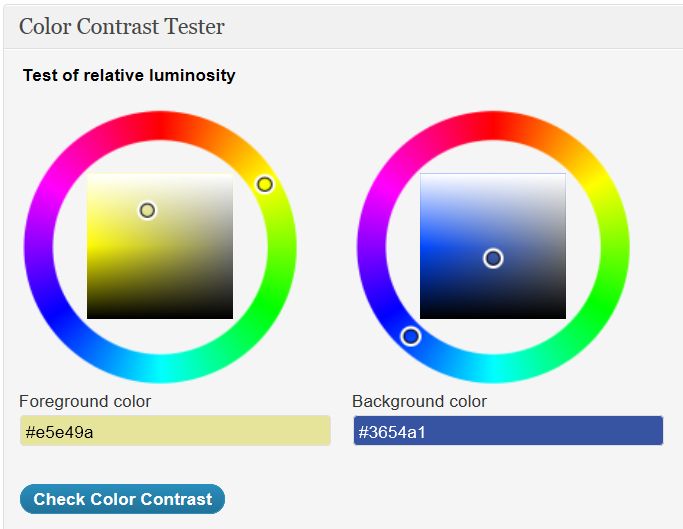
If you are planning to put red text on a black background, forget it. The maximum contrast is between black text on white background (the easiest scheme for most people to read). There is a quantatative way to measure the contrast between two colors, by the way. You can read about the math behind the color contrast ratio and download a helpful testing tool.

Even if people can’t distinguish color at all, if contrast is high, shapes can still be seen. This is why icon-based interfaces can be very easy to use, so long as the icons differ from one another quite a bit and the pictures on the icons use colors that hold up when brightness goes down. Icon design that uses very different shapes for symbols or cartoons will be more easy to distinguish than icons that use subtle variations.

Have you designed a really cool color theme that addresses all of these issues, and still looks nice enough to get past a clueless senior exec on the approval chain? Leave a comment and let us know how you did it.

Print Friendly
Care Transitions Mobile Section 508

Demo of care transitions widget on mobile devices

This video includes a Section 508 smackdown in which visionteam.com is pitted against health.gov in a compliance cage match. Which site is more 508 compliant? Watch the shocking expose!

Print Friendly
Care Transitions

Care Transitions Search Widget

Give a test drive for this new search widget that is optimized to look for high-quality content on improving care transitions and patient safety. Enter any search term you like. When the results come back you will see tabs at the top. Select any tab to filter your results to look for content on those issues as they relate to your search.

Loading


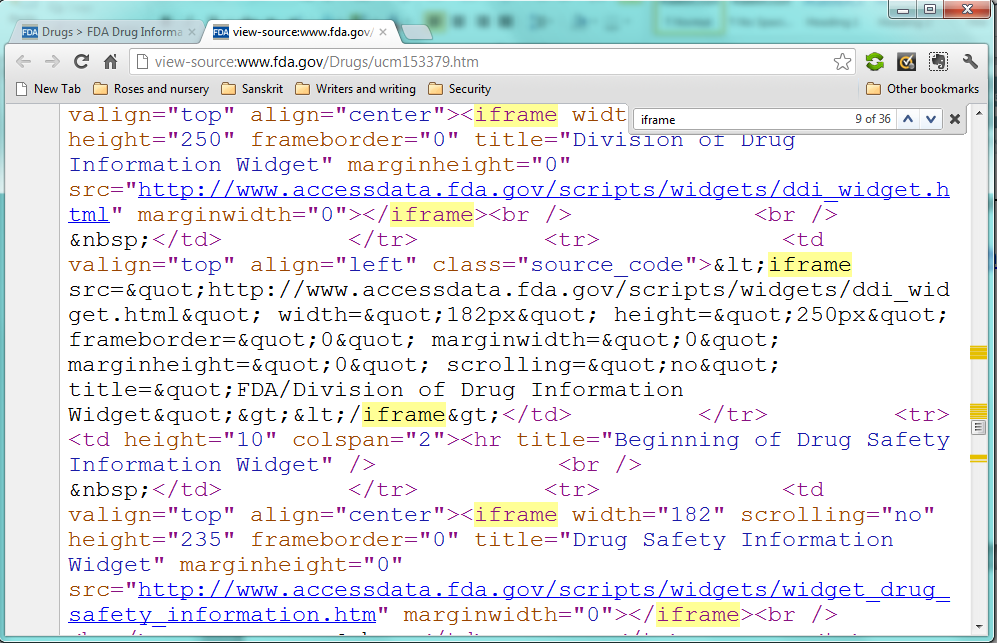
The free widget was designed by Growth House using Google’s custom search technology. It prioritizes search results based on a carefully-selected list of sites that specialize in evidence-based quality improvement for healthcare. You can add the search code for this widget to your own web site if you like. Just “view source” for the HTML and cut and paste the code onto any page you like. You can also get the code for the widget by going to its home page on Google. It would be nice if you would credit Growth House as the developer, but you can also just pretend its yours if you want to. We just want it to get used.

Got feedback? Make a comment to [email protected]! What is your favorite web site for care transitions issues? Let us know and maybe we will add it to the priority list for this search engine.

Print Friendly
Section 508

Section 508 Haiku

Section five-oh-eight
Deep darkness in all places
Morning sun rises

Do not fear 508, grasshopper. Make it your friend. Accept it for what it is, and it will support you back.

Two sites, Two passes on the automatic checker at cynthiasays.com, Many smiles.

visionteam.com uses minimalist design (CIF-like) and presents a minimalist-er interface on cell phones.

growthhouse.com pretends to be a cell phone all the time, modest in all ways.

Learning continues.

Print Friendly
Mobile

508 Compliance vs. Root Canals

If you had your choice between making a site 508 compliant and having a root canal, which would you prefer? I’d probably go with the root canal since the suffering would be over more quickly. After years of trying to find an easy way to get compliance, I am now fixated on the idea that 508 may actually be easy to do if you think of it as a text delivery system for its primary job. Since cell phones have small surfaces, protocols like WAP and RSS may be the secret of success. The design of the present test site is bland, bland, bland. That’s because it is mainly being used to prototype what happens when a site thinks of itself as a feed source first, and a destination second. More will be revealed.

Print Friendly
Mobile

Mobile testing

What does it take to get WordPress to look good on a cellphone?

Print Friendly